
Micca 15-Inch Digital Photo Frame (M1503Z)
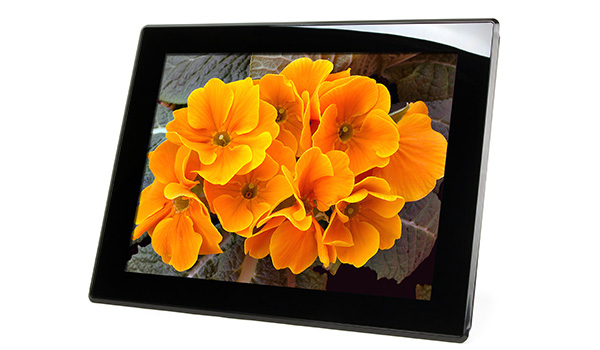
The Micca M1503Z displays your treasured photos and memories with incredible image quality. With its 15-inch high resolution Natural-View LCD screen, your photos are shown with rich and vibrant colors and remarkable detail. See the texture of a leaf, stars in the night sky, or freckles on a smile – everything that tells the story of a captured moment.
Easy to Use
The Micca M1503Z is very easy to use, with no required setup and no software to install. Just load the included 8GB USB flash drive with photos into the photo frame, turn it on, and the slideshow will automatically start. You can even take a SD card from a camera and play photos from it directly without any additional processing. With a built-in On/Off timer, the M1503Z can automatically turn itself on and off based on a flexible schedule – perfect for the office.
Beautiful and Green
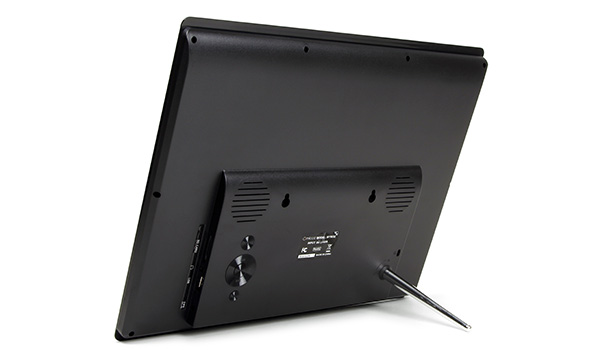
The sleek and elegant M1503Z is less than 1.5″ thick, with a mirrored acrylic front and sculpted back, delivering a beautifully modern and sophisticated look. It is also very energy efficient, consuming only 14 watts of power in use, or about the same as an energy-saving CFL light bulb
Multimedia Experience
In addition to photos, the M1503Z also plays videos and music through built-in stereo speakers or the headphone jack. A compact IR remote is included for convenient access to playback controls.
User’s Manual:
Micca M1503Z User’s Manual (opens in a new tab/window)
 Micca M1503Z User’s Manual
Firmware Updates:
Micca M1503Z 20170619
Installation Instructions:
Relase Notes:
- Improves support for certain JPG encoding methods.
- New updated user interface.
- Fixes handling of photos with EXIF rotation flag value for 180 degrees.
- Improves efficiency and responsiveness when processing progressive JPG files
- Fixes choppy sound for background music when displaying certain photo types.
- Fixes Fixes an issue where certain types of filenames causes the photo frame to reboot
- Fixes decoding errors for photos with resolution higher than 4000×4000
- Fixes compatibility issues with certain brands/types of memory cards
- General stability improvement