
Micca OriGen+ USB audio DAC and Preamp
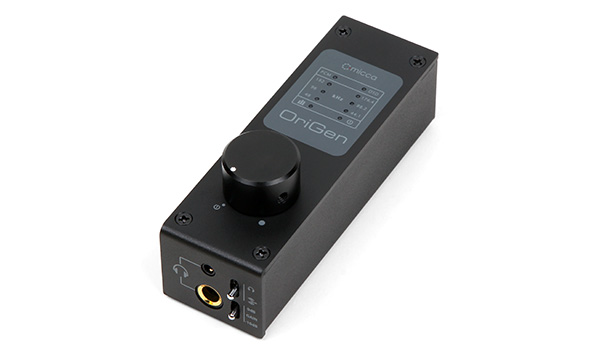
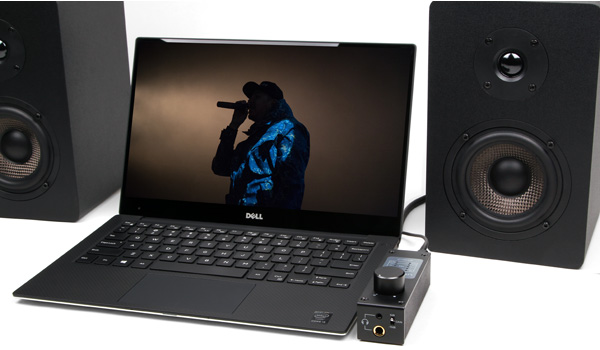
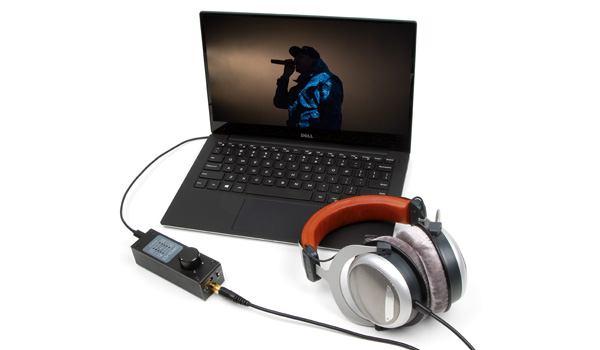
The Micca OriGen+ USB audio DAC and preamplifier is a studio master grade digital audio playback device that supports high resolution PCM audio up to 24-bit/192kHz and DSD64 audio. Its powerful preamp and headphone amplifier makes the OriGen+ especially well suited in a compact desktop computer audio system together with powered monitors and headhpones. Use the OriGen+ to bypass a computer’s sound card and unlock the full sonic potential of your music library.
Digital Finesse
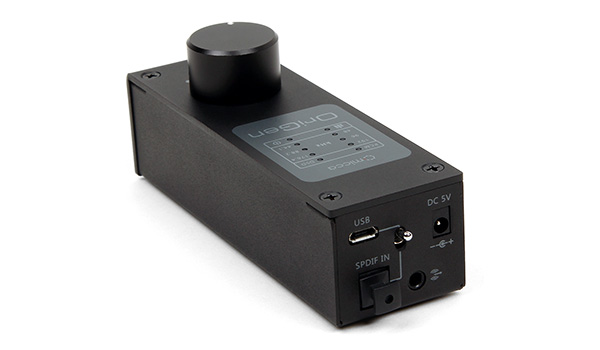
The digital circuitry of the OriGen+ consists of a VIA VT1736 USB 2.0 High Speed 480Mbps audio controller and a Cirrus Logic CS4392 stereo D/A converter. This capable combination provides asynchronous decoding and conversion of PCM audio up to 24-bit/192kHz as well as native and DoP support for DSD64 (2.8MHz) audio. Advanced audio stream interface support includes both ASIO and WASAPI Push/Event output modes. Selectable USB or Optical S/PDIF digital input for flexible source connection.
Analog Brawn
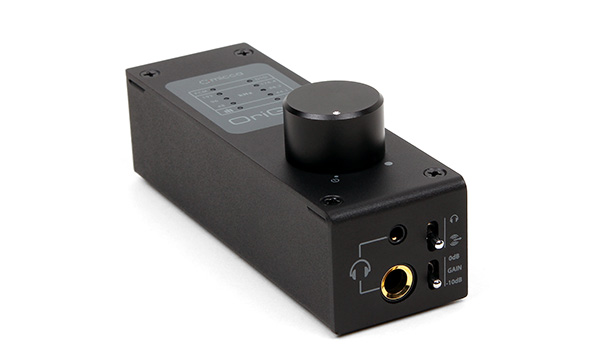
The analog section of the OriGen+ provides switchable line-level or headphone output, using JRC NJM4556 op amps with two output gain levels of 5.6Vrms and 1.7Vrms. The selectable gain design provides excellent drive capability into any downstream amplifiers with enhanced signal strength, low noise, and low interference. The headphone outputs are similarly powerful, with only 0.5 Ohm output impedance and able to drive 16-600 Ohm headphones.
Solid Construction
Starting with a steel tub chassis, the OriGen+ is capped with an anodized aluminum top plate and finished with a solid machined aluminum volume knob. The TOCOS sealed potentiometer used for volume control offers long operating life and a smooth weighted feel. The all-metal construction makes the OriGen+ exceptionally durable and helps shield against unwanted interference.
Try the OriGen+ risk free with your computer and your music library. The OriGen+ is compatible with Windows, Mac, and Linux computers, as well as tablets and mobile devices that have USB-OTG audio capability. If you are not absolutely delighted with the OriGen+’s performance, simply return it for a refund.
User’s Manual:
Micca OriGen+ User’s Manual (opens in a new tab/window)
 Micca OriGen+ User’s Manual
Drivers:
Micca OriGen+ Drivers - Windows XP/7/8/8.1/10 - Version 1.2.5
Installation Instructions:
- Download the ZIP file.
- Extract the contents of the ZIP file to a temporary folder.
- Please refer to the User’s Manual for detailed driver installation instructions. For Windows 10 with Anniversary Update, please see this tutorialfor special instructions: Tutorial
- Delete the temporary folder when finished.
Relase Notes:
- Removes USB Device Deck.
- Improved system compatibility.
Known Issues:
- Driver is compatible with Windows 10. However, the Anniversary Update released in August 2016 for Windows 10 breaks the installation process of this driver and requires a manual work-around. Please see this tutorial for special instructions: Tutorial
Micca OriGen+ Drivers - Windows XP/7/8/8.1/10 - Version 1.2.3
Installation Instructions:
- Download the ZIP file.
- Extract the contents of the ZIP file to a temporary folder.
- Please refer to the User’s Manual for detailed driver installation instructions.
- Delete the temporary folder when finished.
Relase Notes:
- Initial release
Known Issues:
- Driver is compatible with Windows 10, but the VIA Control Panel does not work for setting default sampling rate and bit depth. The sampling rate and bit depth can be set in the playback devices properties menu.